
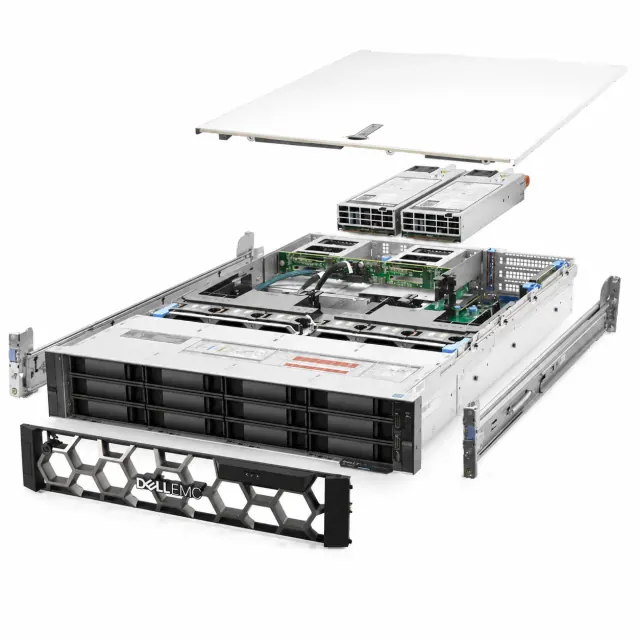
Local storage is the main attraction
The R740xd is a strong starting point for workloads that keep substantial data inside the server. Large-format disks suit capacity-led backup and storage, while small-format SSD layouts can serve latency-sensitive applications. The drive layout is a purchasing decision, not merely a cosmetic option.
Count usable capacity, not just disks
A dozen drives does not mean a dozen drives worth of usable space after RAID protection. Also budget for rebuild time, backups and free space. Separating an OS mirror from the data array makes the storage plan easier to understand and service. RAID protects against some disk failures; it is not a backup.
Expansion depends on the exact chassis
Rear bays, risers and accelerators share physical space and cooling resources. Dell restricts GPU enablement to particular R740xd layouts, so a storage-heavy LFF build should not inherit the options of a GPU-ready SFF unit. Select the chassis first, then size memory and networking around the workload.